Ticket Views & Queues
We organize your inbox into views and queues by type and priority, so agents see what needs attention first.

We set up your ecommerce helpdesk from scratch, or clean up the one you have. Views, rules, saved replies and reporting are built around your team, so tickets get sorted automatically and replies go out faster.
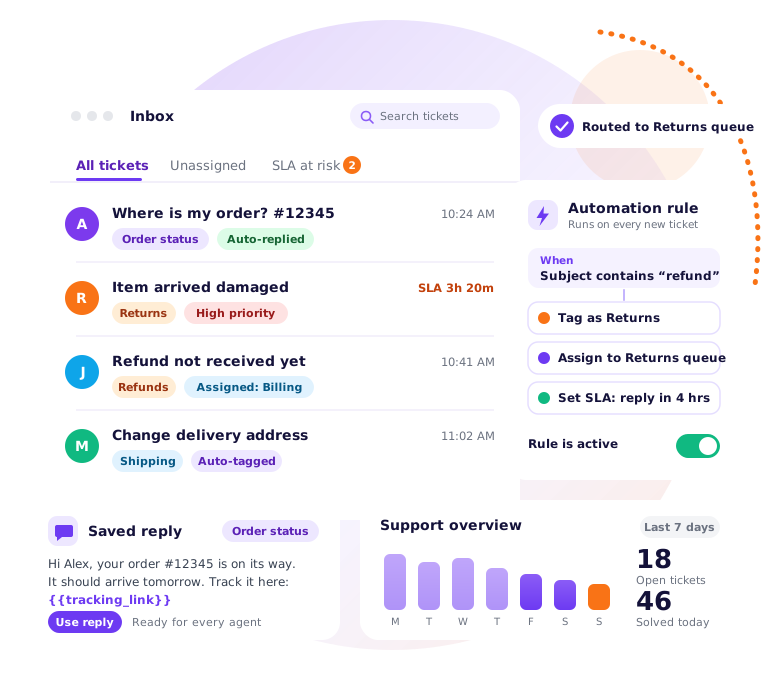
We organize your inbox into views and queues by type and priority, so agents see what needs attention first.
Tickets are tagged, assigned and prioritized automatically, based on keywords, order details and customer type.
Each ticket goes to the right queue with a reply-time target, and you get an alert before a ticket runs late.
Saved replies and self-service articles for your repeat questions, in your brand's voice, so common tickets are answered in seconds or never arrive.
Response time, volume and team performance in one view, so you can spot problems and plan staffing.
Most stores start with a shared inbox. It works until order volume grows, and then tickets get lost, two people reply to the same customer, and nobody knows how long anything takes. Buying help desk software fixes the tool but not the setup. Without clear views, rules and saved replies, an ecommerce help desk becomes another messy inbox.
Our team sets it up around the questions your customers actually ask: where is my order, can I return this, why was I charged twice. We build the queues, write the rules, load the saved replies and connect your store data, so your agents open the helpdesk and know what to do. If you already have a helpdesk that has grown messy, we clean it up instead of starting over.
We review your current support. We look at your channels, common tickets and team setup.
We plan your workflow. Queues, statuses, priorities and reply-time targets are agreed with you.
We build the automation. Rules for tagging, routing and flagging go live, and we test them on real ticket examples.
We add saved replies and a help center. Your most common answers are written and loaded for agents and customers.
We train your team and set up reports. Your team learns the system, and you get a dashboard to track results.
Expert setup for leading ecommerce helpdesk platforms.
Reusable responses, clean tagging and workflows that keep tickets moving.
Self-service content that answers repeat questions before they become tickets.
Quality checks and customer satisfaction tracking for stronger support.
Tell us which helpdesk you use. We'll show you which tickets can be automated first.
Book a Free Callsort and route
answer in seconds
from day one